How to enable DNS over TLS in iOS
Introduction
Configuring DoT in iOS requires installing a configuration profile (a file with a .mobileconfig extension), which contains data about the DNS server(s) to use. Configuration profiles can be downloaded directly from the Cyber Resilience Portal or are provided by your system administrator.
Profile Installation
-
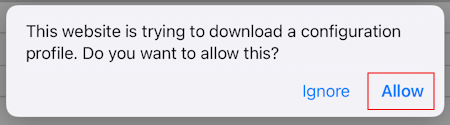
In case you are downloading the configuration profile with Safari, allow the download of the file when prompted.
-
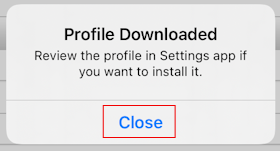
Once the profile is downloaded, click close.
-
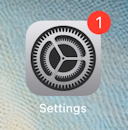
From the home screen, open the Settings app:
-
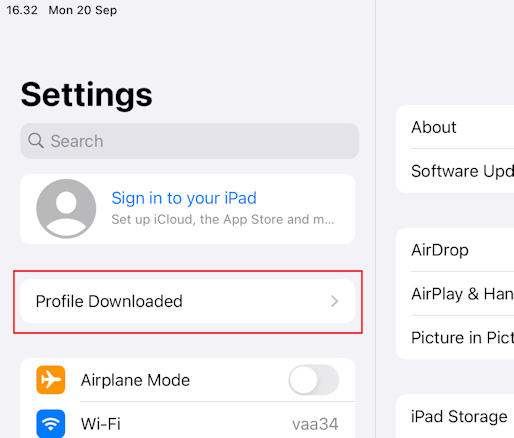
Click "Profile Downloaded":
-
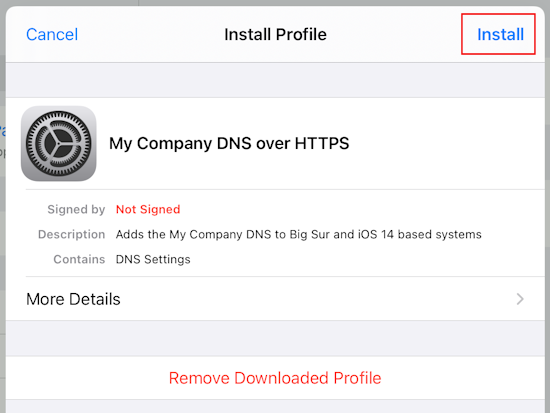
Click install in the Install Profile dialog:
-
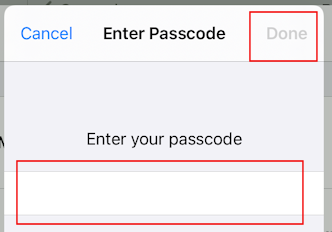
Enter your passcode when prompted and click done:
-
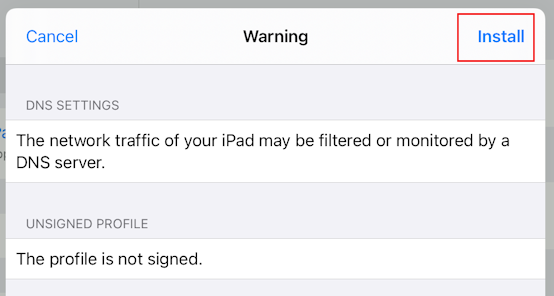
Click install in the final Warning dialog:
Support
If you encounter a problem
If you encounter any issues, don't hesitate to reach out to our technical support department.
Contact Information
(+32) 15-504-400
support@axsguard.com